Launch of the New DailyPlaylists Professional Plan

We’ve officially launched the DailyPlaylists Professional Plan - a complete upgrade to the Artist Pro subscription with new features, a redesigned dashboard and clearer submission history.
🔧 What’s New:
Fully redesigned, streamlined dashboard
Playlist recommendation system
Transparent playlist matching score with breakdown
Reworked Track Explorer with improved feedback
New submission type that bypasses gates
Updated submission history interface
💳 Subscription & Billing Changes:
Artist Pro is now the Professional Plan
New pricing: from $14.99 to $19.99/month and $149.99 to $199.99/year
For annual subscribers: enjoy the Professional features at no cost, at time of renewal you will be charged the new pricing
⚙️ Transition Info for Current Users:
Click on the transition assets on your dashboard
After 6 months time, you will be automatically upgraded
Access your dashboard anytime to review your subscription status and explore the new features
We’ll continue to share updates and tips to help you get the most out of the new tools.
Thanks for being part of DailyPlaylists!
✨ New Features Walkthrough:
Overview Section:
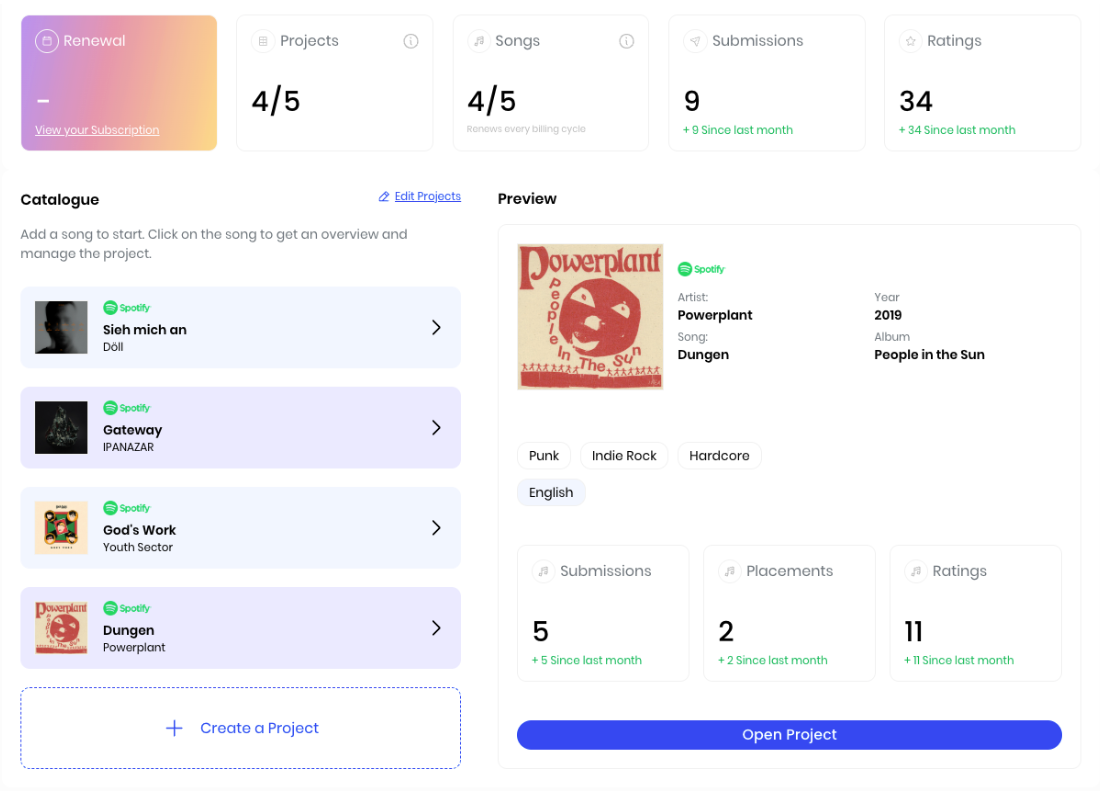
Renewal: The date when your subscription will be automatically renewed - if you cancelled the renewal of your subscription you will see a “-”.
Projects: These are the slots available to upload a song. 1 song = 1 project, inside each project you access the Professional tools that analyse your song and promotes it within our community. Subscribers can have 5 Projects active at once.
Songs: These are the amount of songs available to upload to a project. Every month you can upload a maximum of 5 songs into Projects, this number is refreshed every billing cycle.
Submissions: These are the total number of submissions made for the songs included in your projects, it counts all submission types.
Ratings: Formerly called "Feedback" from the Track Explorer - these are the ratings and comments received from our community over our Explorer section.
Catalogue Section:
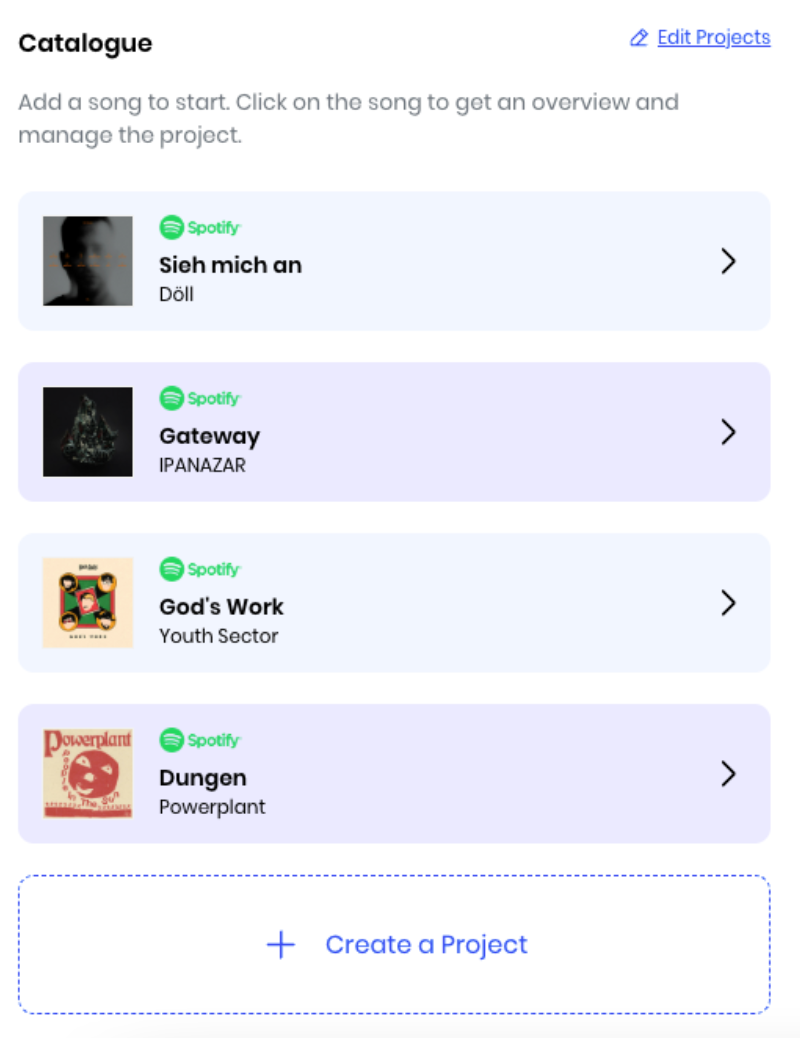
Project slots: 5 slots available to upload a song and start using the Professional tools. If you have available slots remaining, you will have a "Create a Project" button to upload a song. Active Projects will display the uploaded song with an arrow at the right, click on it to access the Project stats preview.
Edit Projects: Button to remove songs from Projects - located at the right of the Catalogue section title. Consider that when you remove a song from an Active Project, you don't recoup the Song slot - you can see how many Songs you have left to upload in the Overview section (Songs box).
Preview section:
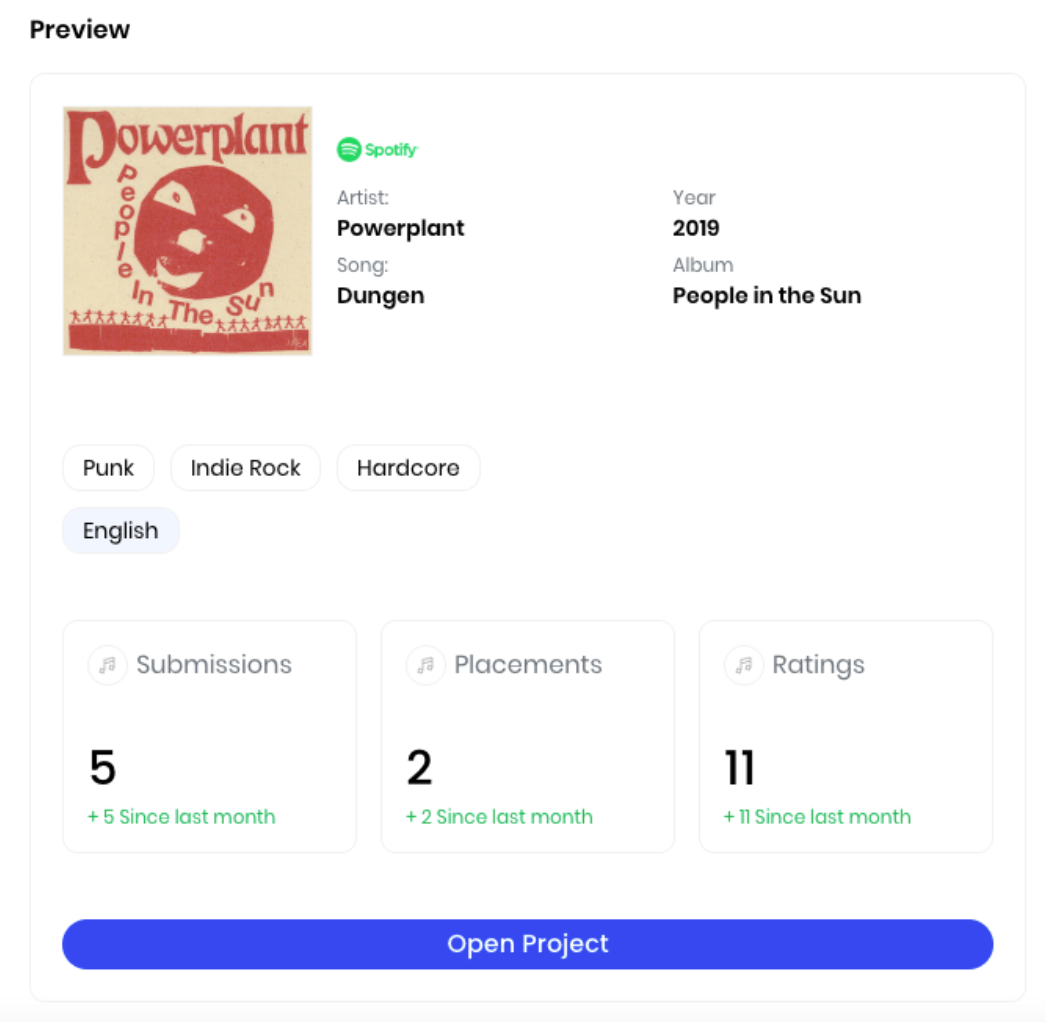
Spotify song & stats: General information from the song; such as a title, artist, release year and album.
Project stats: Stats selected by the artist when submitting the song to a Project; such as genres and languages.
Professional stats: Performance statistics about the selected project; such as submissions sent, playlist placements and total ratings received.
Open Project button: Button that will take you to the Professional tools to analyze and promote your song within DailyPlaylists.
Recommendations tab:
Recommendations Submission Type
In the Recommendations section you will find 5 playlists recommendations based on our matching system - every Monday you will get 5 new recommendations.
This type of submission does not execute any gates, so feel free to send your music to recommended playlists without having to save or follow any Spotify songs or profiles.
Submissions sent over Recommendations have a 7-day deadline for response versus 21-day deadline in the regular Standard Submission flow.
This type of submission is pinned in the curators dashboard so they can review and respond as a priority submission.
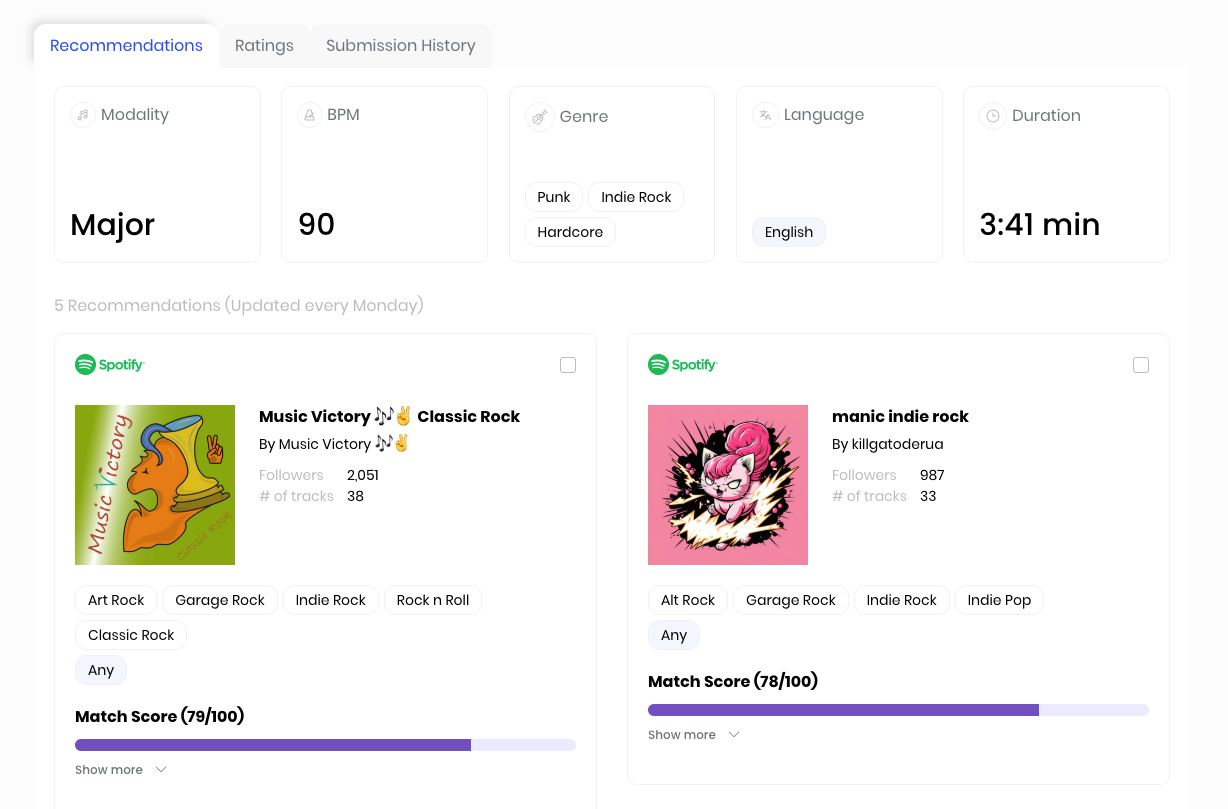
Song stats: General stats on the song analyzed, such as modality, BPM, genres, language and duration - these stats are used to find matching playlists.
Playlist Recommendations: You will see 5 playlist recommendations based on our matching system - every Monday you will have refreshed recommendations.
Playlist Stats: Within each playlist box you will find playlist general stats - a hyperlink text to the playlist and the curator, amount of followers, songs within the playlist, genres and languages for the playlist.
Matching Score: This is the matching score between your song and the recommended playlist - click on “show more” so you can see the breakdown of the score and the criteria used for matching.
Ratings tab:
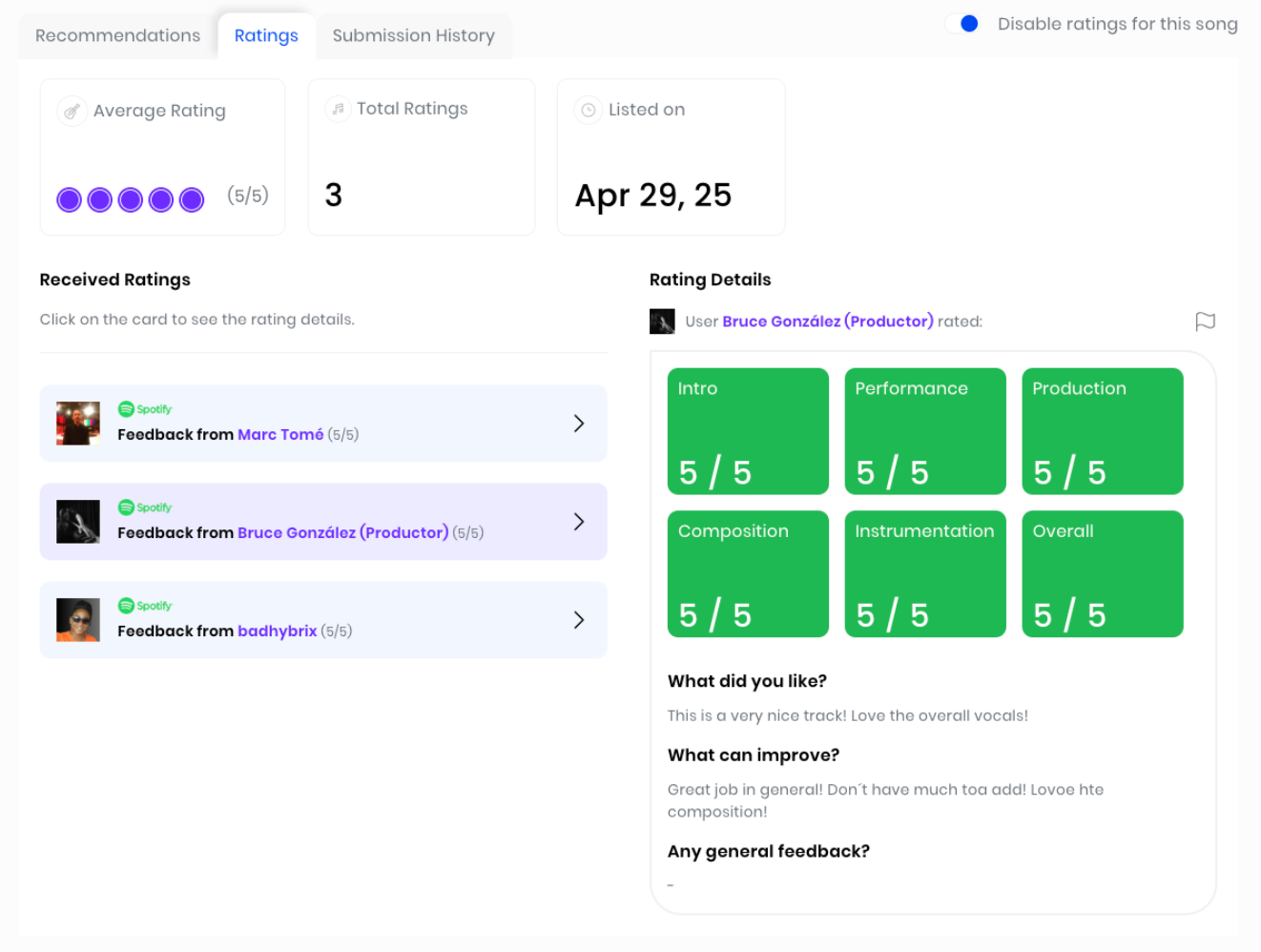
General Stats: Average rating, total ratings and date of song listing are displayed in this section.
Received Ratings: Here you will see all the individual ratings you received on a specific song, click on it so you can see the Rating Details.
Rating Details: Numeric score left by the selected user on different aspects of the song such as Intro, Performance, Production, etc. Here you will also find qualitative feedback on the song.
Disable Ratings Button: At the top right corner of the section, you can activate or deactivate your song’s listing to receive Ratings from the DP community.
Submission History tab:
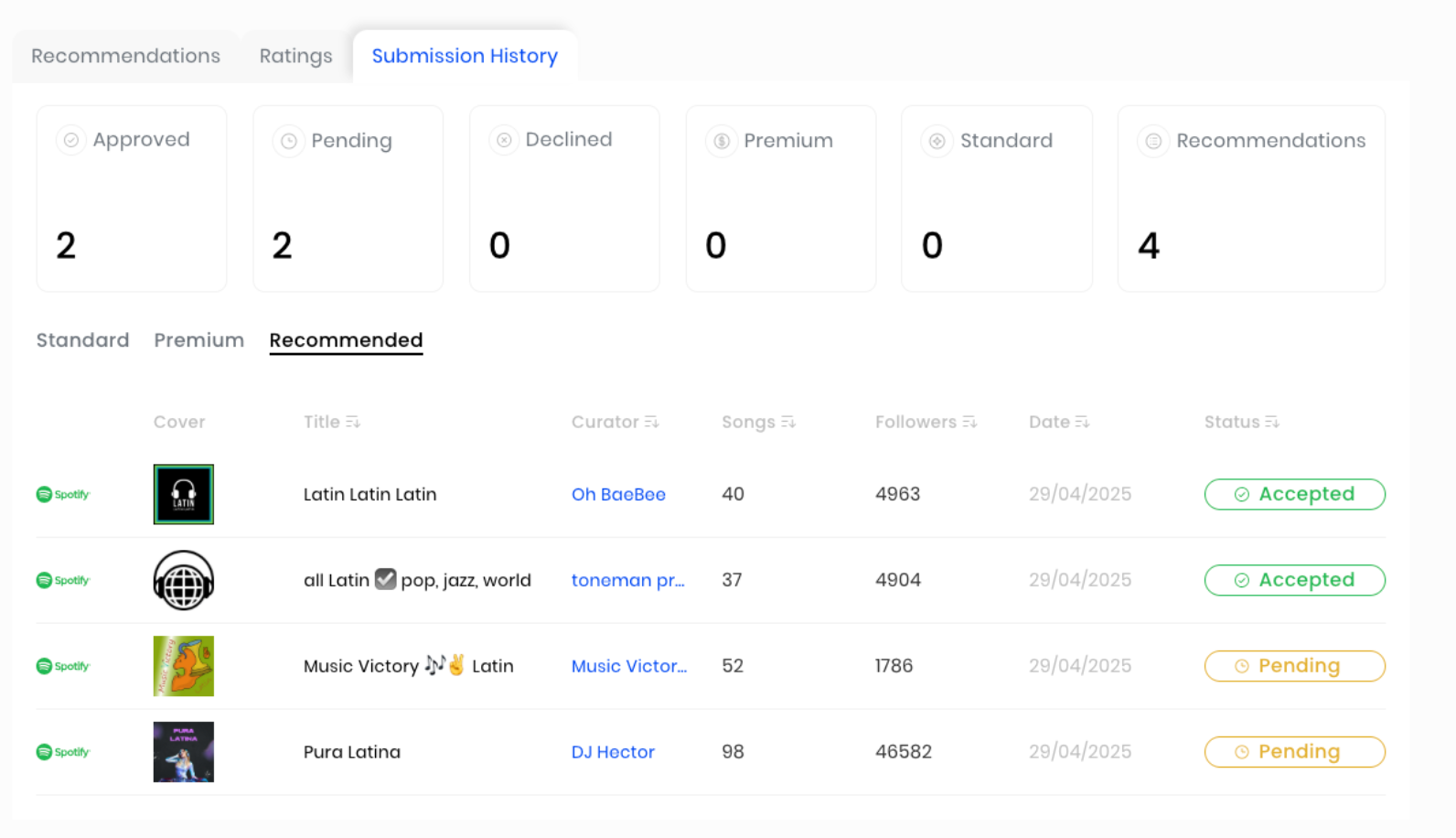
General Stats: Performance overview on all submissions sent - approvals, declines and pending, as well as total submissions divided by type.
Submission Type Selection: Sub-section tabs to select the submission details on each type of submission - Standard, Premium and Recommended.
Submission History: Details on each submission sent, with all general information on the playlist and the status of the submission.
Are you interested in trying out the new Professional plan? Click on the link below!
Remember that the first step to actually enjoy and use these features is to create your first project in the Professional dashboard - what are you waiting for? Start making the most of the DailyPlaylists experience.