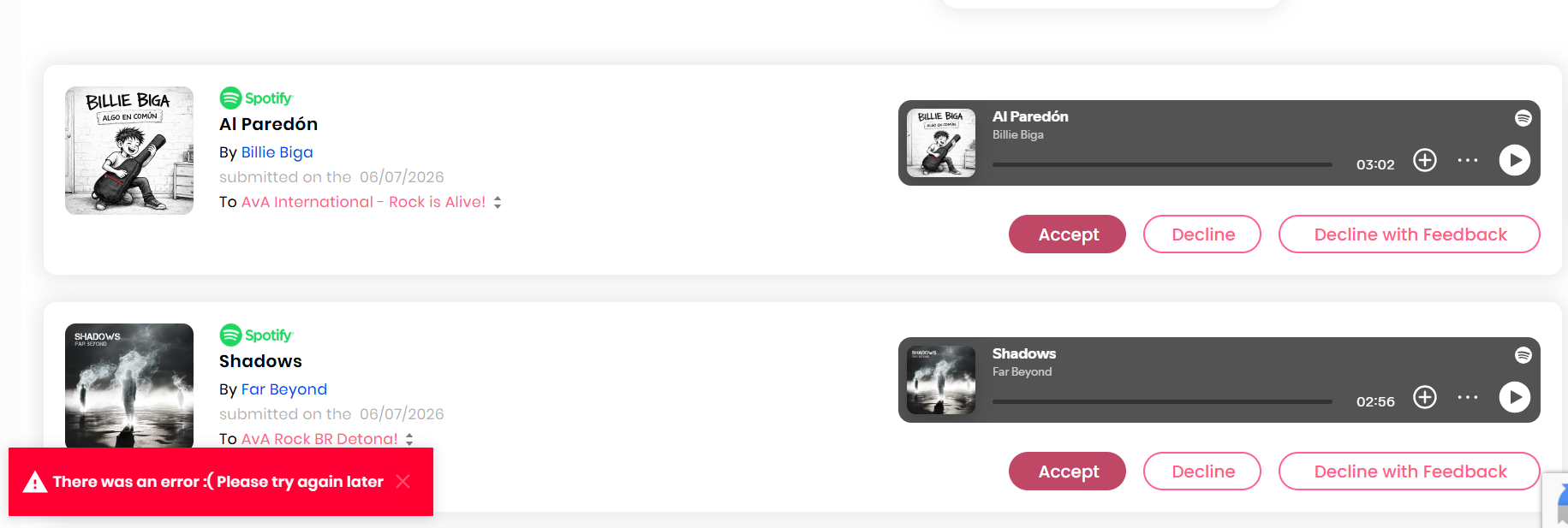
Error Message
Every time I try to approve a song, the site gives me back an error message. I´ve looked upon your foruns and saw something like “reseting the browser” with ctrl+shft+R. I did it, but for no result. Still I am getting the same message and losing opportunities. Please, help me fix it.
Log in to comment and vote
Comments12
THE IRON TELEGRAPH
Jul 26
Same here, nothing helps. Premium submissions don’t work either.
DP Team
Jul 24
Hi AvA,
Thank you for your message and for trying to troubleshoot with a hard refresh. Can you please log out and back in to see if the issue persists?
Let me know if that works.
All the best,
DP Team
Focal Dream
Jul 26
Hello,
I have the same problem, even though I tried logging out and logging back in. This issue has been persisting for a week now…
DP Team
Jul 27
Hi Focal Dream,
Thank you for flagging this. Can you please share your Spotify user link?
Also, have you tried clearing the caché and using another browser?
We also recommend trying the following:
I recommend first signing out from everywhere using this link: https://www.spotify.com/us/account/sign-out-everywhere/
After that I suggest you to resetting the password using this link: http://www.spotify.com/password-reset/
Let me know if that works.
All the best,
DP Team
Focal Dream
Jul 27
https://open.spotify.com/user/31qwrferq7zo6vrtwnpr3433sqru
I’ve tried everything, but unfortunately, nothing has changed.
Steve Marks Music
Jul 27
for me, I tried everything, but this link ACTUALLY WORKED for me - thank you so much…!!
DP Team
Jul 28
Glad it worked!
AvA - Autoral vs Autoral
Jul 27
Yeah, I did that too. It doesn´t work.
dalaitom
Jul 26
Same problem here!
DP Team
Jul 28
@AvA - Autoral vs Autoral @dalaitom @THE IRON TELEGRAPH I’m creating a support ticket.
Please share as much evidence as possible with this.
Browsers used
Devices
What you have done to troubleshoot (log out and back in)
If you logged out of Spotify and logged in again and then used the platform
Email address
Spotify User link
We tested the function on our end, and it’s working properly; that’s why we think it could be an old glitch from the previous weeks that is not resolved on your end because of the caché in your devices.
Thank you,
Luna
AvA - Autoral vs Autoral
Aug 5
Hey Luna
Well, I have used Chrome and Edge, both giving me the same error messagens. I have cleaned up all their caches, and nothing happened. I´ve logged in and out of Spotify, nothing happened. I´ve tried uninstalling edge and reinstalling it back, and still I get and error message. :(
DP Team
Aug 6
Hi AvA,
Did you tried incognito mode? And also, I recommend first signing out from everywhere using this link: https://www.spotify.com/us/account/sign-out-everywhere/
After that I suggest you to resetting the password using this link: http://www.spotify.com/password-reset/
Let me know if that works. It was an issue with Spotify’s latest update; most of the users who flagged it saw this resolved after doing this.
Best,
Luna